
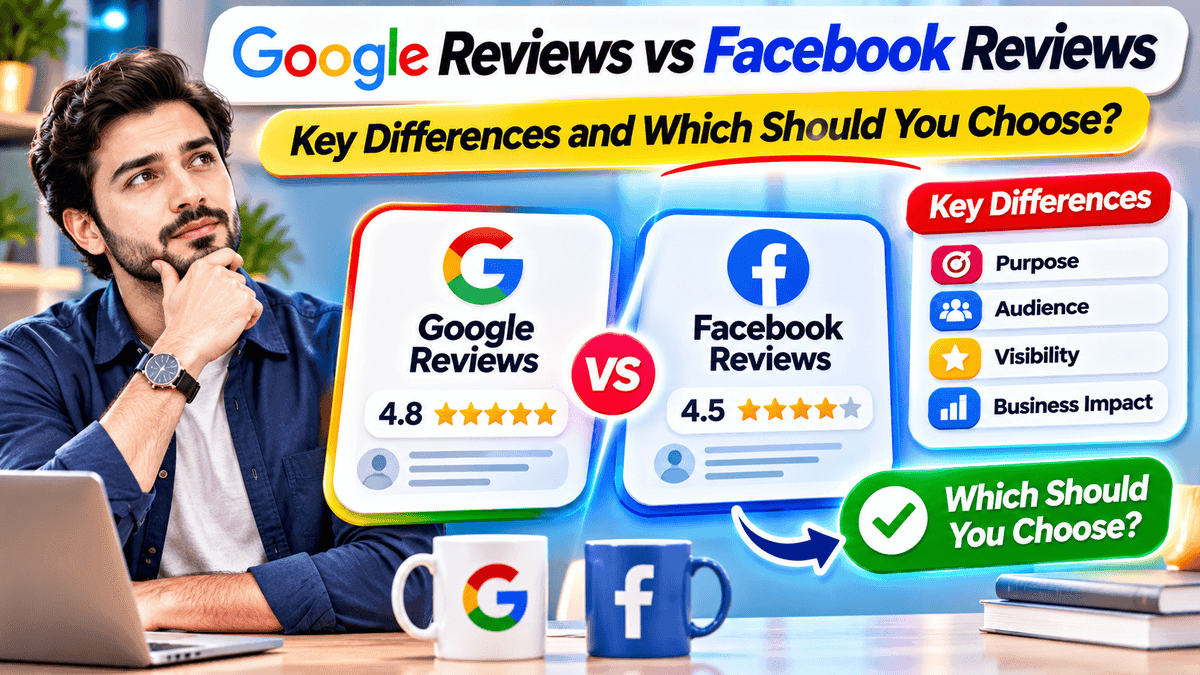
Google reviews are usually the better starting point for local businesses. They show in Google Search and Maps, where customers look for products and services. Facebook reviews, now called Recommendations, work well for businesses built on community ties. This guide covers Google reviews vs Facebook reviews, their main differences and where to focus first.
Google Reviews vs Facebook Reviews: Quick Comparison
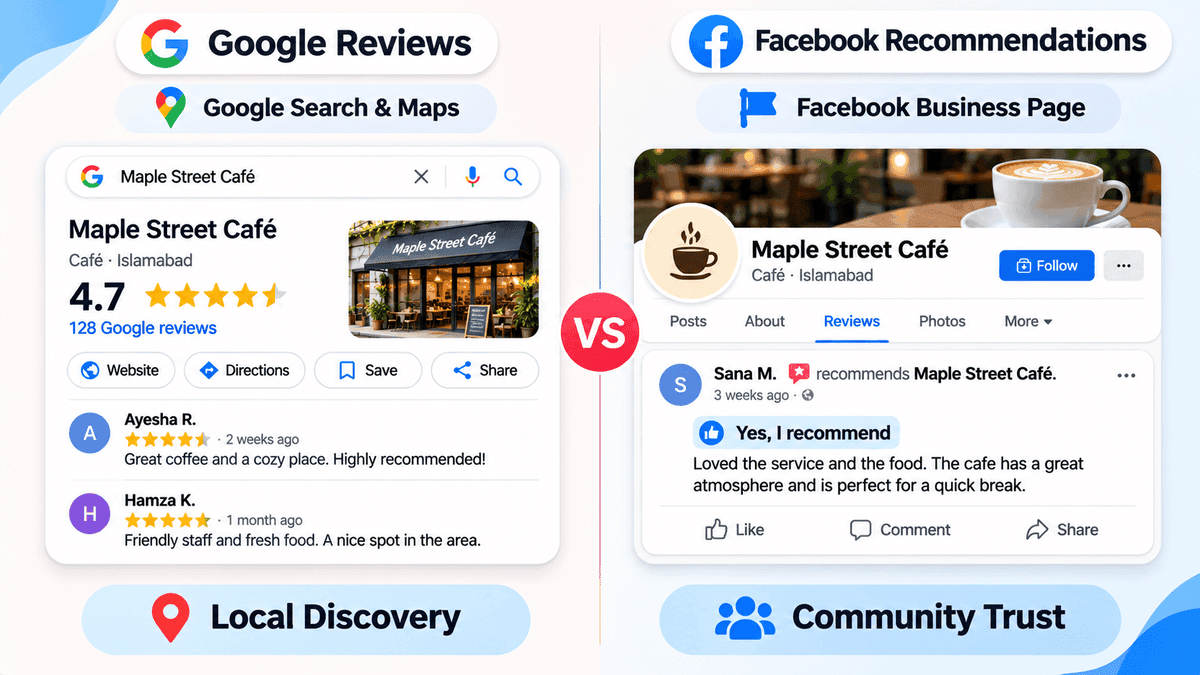
FeatureGoogle ReviewsFacebook ReviewsFormat1 to 5 starsYes/No RecommendationsMain locationGoogle Search and MapsFacebook business PageLocal SEOReview count and ratings can support local rankingNo established direct Google ranking benefitAudiencePeople searching and comparingFriends, Page visitors and followersMain strengthLocal discoveryCommunity trust
Facebook uses a Yes/No recommendation system instead of 1 to 5 stars. Some Pages may still show a star rating. What appears can vary by Page and by Facebook's current features.
Right-click image → Replace or DeleteWhat Are Google Reviews and Facebook Recommendations?
How Google Reviews Work
- Customers pick 1 to 5 stars. Text and photos are optional.
- The review lands on the Google Business Profile, in Search and in Maps.
- Owners can reply, but the profile must be verified first.
Picture someone typing "dentist near me" on a phone. The stars show up before the website does. Many shoppers decide right there, in a few seconds, without opening anything else.
How Facebook Recommendations Work
- Facebook asks one question: does this person recommend the business?
- The answer is Yes or No. Tags, text and photos come after.
- Recommendations sit in the Reviews area of the Page and can reach friends and visitors.
That makes Facebook feel more personal. A familiar name beside a recommendation does a lot of the convincing.
5 Key Differences Between Google Reviews and Facebook Reviews
Search Visibility and Customer Discovery
Google puts reviews in front of people who are already searching. Facebook shows them to people close to the business, such as followers, friends and Page visitors. So Google helps a business get found, and Facebook helps it stay trusted.
Local SEO and Google Maps Rankings
Google names three main local ranking factors: relevance, distance and prominence. Its guide to how local ranking works says reviews feed into prominence, and that more reviews and positive ratings can help. Can help, not will. Facebook Recommendations have no proven direct effect on Google rankings.
Star Ratings vs Yes/No Recommendations
Google uses a five-star system, so customers can show different levels of satisfaction. A 3-star review says something different from a 5-star one. Facebook uses a simpler Yes/No format. It's quick for customers, but it tells less. Tags and short comments add some detail.
Customer Trust and Social Connections
A stranger on Google trusts the score and the wording. A friend's name on Facebook can count for more than any score. Google trust helps with a first visit. Facebook trust often helps with referrals and repeat visits.
Review Management and Business Control
Business owners can reply to feedback on both platforms, but they usually can't delete reviews written by others. Reviews that break platform rules can be reported, and the platform makes the final call. The reviewer can edit or remove their own review.
Which Is Better for a Business: Google or Facebook Reviews?
It depends on how customers find the business. Not on which platform is bigger.
Choose Google Reviews When Local Search Matters Most
Think of a burst pipe at 9 p.m. The homeowner searches, scans the stars and calls the plumber with the best score. Restaurants, dentists and repair shops live in that moment. A review that names the dish or the repair helps the next searcher more than a bare star.
Choose Facebook Recommendations When Community Matters Most
A weekend market stall or a local sports club often grows by word of mouth. Someone shares a post, a friend replies "go here" and that's the sale. A recommendation inside that circle carries real weight.
Use Both When Customers Arrive From Different Places
A salon might get found on Google Maps and booked after a friend's Facebook post. Covering both paths makes sense. How much time each one gets should follow where customers actually come from.
Business typeFirst priorityReasonRestaurant, dentist, repair serviceGoogleCustomers search nearbyCommunity group, social-first brandFacebookTrust moves through connectionsSalon or studioBothCustomers arrive from bothOnline-only storeFacebook and other review sitesGoogle Business Profile needs in-person contact with customers
Google Business Profiles are for storefront and service-area businesses that meet customers in person. A business that works fully online, with no face-to-face contact, usually isn't eligible.
Can Google and Facebook Reviews Work Together?
Not automatically. The two systems are separate, so a review on one never shows on the other. Still, both can feed one reputation plan. Send customers to the right place. Show chosen feedback on the business website where the rules allow it. Weighing a third site as well? See how Google reviews compare with Trustpilot for brand growth.
How to Collect Reviews on Google and Facebook
How to Ask Customers for Google Reviews
- Start by verifying the Google Business Profile.
- Copy the official review link from the profile, or make a QR code.
- Put it at the counter, on receipts or in a thank-you message.
- Ask for honest feedback in neutral words.
How to Request Facebook Recommendations
- Make sure the Reviews area is switched on for the Page.
- Invite customers who have really used the business, and keep the request neutral.
- Add a direct link to the Page, so the Reviews area is easy to find.
- Don't ask only the customers likely to leave praise.
- Test the steps before printing signs, since labels differ between app versions.
Common Mistakes to Avoid
- Offering a discount or gift for a review. Google's rules on asking for reviews forbid this, and Facebook has rules of its own.
- Asking only happy customers. The picture comes out skewed.
- Pushing too hard. People can feel it.
- Sending identical wording to everyone. Short and friendly reads better.
How to Handle Negative Reviews on Both Platforms
One bad review can feel urgent. A calm reply helps more than a fast one.
- Thank the reviewer and name the issue.
- Leave out private details.
- Offer to continue by phone or email.
- Report the review only if it breaks the platform's rules.
Take a café that gets a 2-star review about cold coffee. Two lines are enough: thanks, the drink should have been hot, and a call to put it right. The owner usually can't delete the review. The platform decides on any report.
One trap on Facebook. A Page can switch off its Reviews area. That hides every review, good ones too. It's a poor fix for a single bad review.
How to Decide Where to Focus Review Efforts
- Find out where new customers discover the business.
- Check which platform those customers already use.
- Keep both profiles accurate and complete.
- Ask for honest feedback on a steady schedule.
- Review the results every few months and adjust.
Fixed splits such as 70/30 are rules of thumb, not official guidance. Real customer habits matter more than any ratio.
Frequently asked questions
Final Thoughts
Lead with Google if the business is local and customers search for it. Keep Facebook for community trust and referrals. Use both when customers arrive from both. The easiest start is a verified Google profile plus one steady Facebook habit.
Growth Specialist
Specializes in helping local businesses maximize online visibility and customer engagement.
About the Author
Sarah JohnsonGrowth Specialist
Specializes in helping local businesses maximize online visibility and customer engagement.