
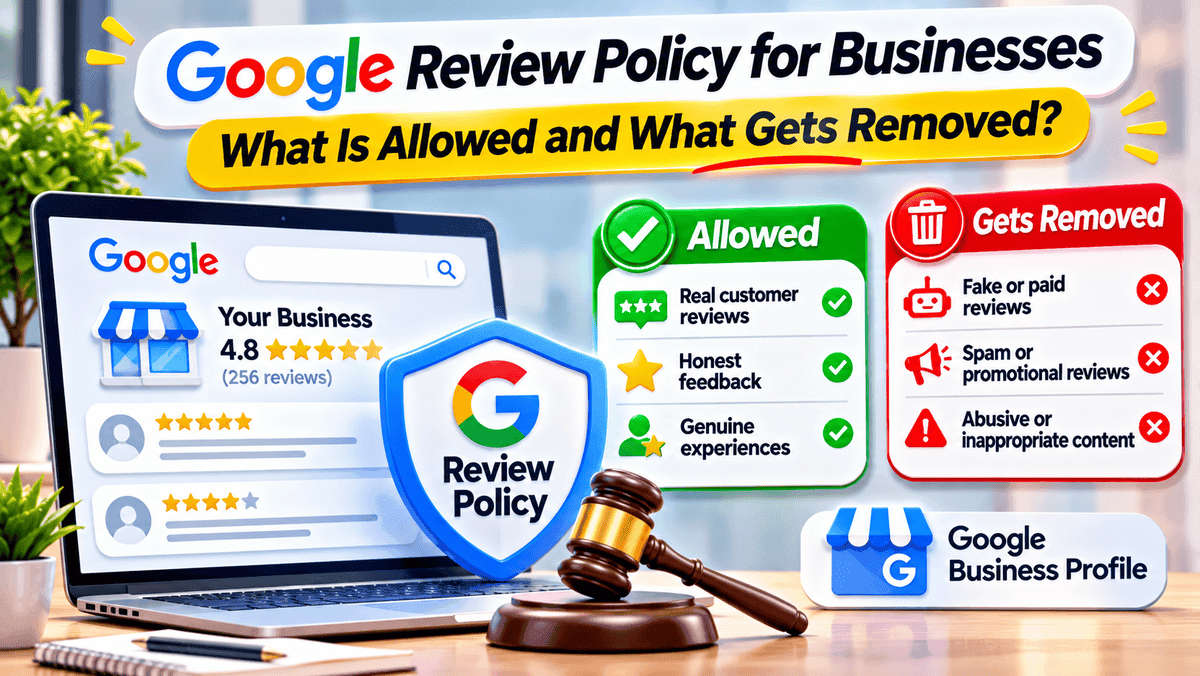
The Google review policy for businesses explains how companies can request customer feedback, respond to reviews, and report content that violates Google's rules. It also sets standards for genuine customer experiences, review content, and fair collection practices. This guide covers what is allowed, which reviews may be removed, and how businesses can manage customer feedback responsibly.
Google Review Policy at a Glance
AreaAllowedNot allowedCustomer feedbackHonest experiences, including criticismFake or manipulated reviewsReview requestsNeutral invitationsRewards and review gatingReview contentRelevant, respectful feedbackAbuse, spam, private detailsBusiness actionsReplies and policy reportsPressuring customers about their reviews
Nothing here is automatic. Automated systems scan reviews on their own, and now and then a genuine review gets caught by mistake. A report is a request, not an order.
The policy also runs in two directions. Reviewers must write about a real experience. Businesses must not steer, reward or filter the feedback they collect.
What Is Allowed Under Google's Review Policy?
A harsh review isn't a broken rule. Plenty of owners learn that the hard way. Replies, on the other hand, are welcome, because they show how a business handles trouble.
PracticeWhat it meansHonest reviews, good or badA 1-star complaint about slow service stays, as long as it's real and free of abuse, spam or private detailsAsking for feedbackA review link, a QR code at the counter or a line on the receipt, all in neutral wordsPublic repliesShort, polite answers with no private details and no sales pitchReportingOwners can flag a review that breaks a rule, and Google makes the call
What Types of Google Reviews Can Get Removed?
Think of it as a short blacklist.
TypeExampleFake engagementA review with no real visit or purchaseConflict of interestReviews from owners, staff or rivalsSpam and off-topicRepeated promotions, links or unrelated rantsHarassment and hateThreats or abusive languagePersonal informationSomeone's phone number or address, shared without consentImpersonationPosing as another person or businessRestricted or illegal contentContent that breaks applicable restrictions
A review that stings is not the same as one that breaks a rule. Removal isn't a promise either. And once a review is gone, it rarely comes back. Owners who lost reviews can read about why Google reviews disappear for the usual causes.
Some rules cover how a business behaves, not what a review says. Those come next.
Review Rules Businesses Commonly Get Wrong
The answers below follow the policy on prohibited and restricted content, which covers how businesses collect reviews as well as what a review can say.
QuestionShort answerWhyAsk for five stars?Better notA request should invite honest feedback and leave the rating to the customerSend the link only to happy customers?NoThe policy bars discouraging negative reviews and selectively asking for positive onesStaff, family or partners leaving reviews?AvoidA personal or professional tie creates a conflict of interest, and a real purchase doesn't cancel itTell customers what to write?NoScripts and staff quotas lead to biased reviewsA sudden jump in reviews?Not a violation aloneReviews after a busy period are fine, but unusual volumes or patterns can be looked into
Picture a café that sends the review link only to guests who rated the visit highly on a private form. That filter is gating, even though nobody wrote anything false. The same goes for a staff member who posts a review "just to help". Good intentions don't remove the conflict of interest. The test is simple. Were the reviews genuine, and were they collected without incentives or pressure?
What Happens When a Business Breaks the Review Rules?
Not every slip gets the same treatment. Possible results include:
- Removal of the reviews that break the policy.
- A set period in which the profile can't receive new reviews or ratings.
- A set period in which existing reviews or ratings are unpublished.
- A warning that fake reviews were removed.
None of this is automatic. Google may email the owner first, and an appeal is possible. A profile that collects genuine reviews steadily stays on safer ground.
How to Report a Google Review That Breaks the Rules
- Open the Business Profile, or find the review in Search or Maps.
- Open the review's menu and pick the report option.
- Choose the category that fits best.
- Submit the report.
- Wait for the answer. No fixed time applies.
Report only reviews that break a named rule. A bad review with no policy problem won't come down, and that time is better spent on a reply.
What If Google Rejects the Request?
Recheck the category first. A negative opinion alone isn't grounds for removal. If an appeal option appears, use it only when the review truly breaks a rule. Menu names change, so the screen may look a bit different.
Can Google Remove an Honest Negative Review?
Not by default. Honest criticism isn't a violation, even when it hurts. The smarter move is a calm reply and a real fix. Thank the reviewer, name the problem, keep private details out and offer a phone call or email.
Say a plumber gets 2 stars for turning up late. A reply like this does the job: "Thanks for the feedback. A late arrival isn't the standard aimed for. A call to put things right is welcome at the number on the profile." Future customers read that reply too. One 2-star review among dozens of 5-star ones tells a different story than a wall of complaints, and a calm answer shows how the business handles trouble. For more ideas, see how to turn negative reviews into new opportunities.
How to Request Google Reviews Without Breaking the Rules
- Invite customers with genuine experiences, not only those expected to leave praise.
- Use neutral words.
- Share the official review link or QR code.
- Offer no discounts, gifts or rewards.
- Don't pressure customers or tell them what to write.
- Reply to reviews, good and bad.
A simple request can read like this: "Thanks for visiting. Honest feedback is welcome at this link." Short and friendly beats long and formal.
Timing helps. Right after a finished job or meal, the experience is fresh. A QR code, a receipt line or a short follow-up message keeps the request easy.
Do Google Review Rules Also Have Legal Consequences?
Platform rules and the law are two different things. In the US, a federal rule on consumer reviews took effect on October 21, 2024. The rule targets deceptive practices such as fake reviews and incentives tied to a positive or negative opinion. Courts can impose civil penalties for knowing violations. Breaking a Google policy doesn't automatically break the rule. The two aren't identical, and some incentives the federal rule doesn't expressly ban can still break Google's stricter policy. Businesses that sell in the US should keep both in mind.
Frequently asked questions
Final Thoughts
Honest reviews, neutral requests, calm replies. That's the whole recipe. Fake, biased and abusive content gets taken down. The safest routine is simple: ask every customer, offer nothing in return and reply to feedback. Use the report option only when a review truly breaks a rule.
Growth Specialist
Specializes in helping local businesses maximize online visibility and customer engagement.
About the Author
Sarah JohnsonGrowth Specialist
Specializes in helping local businesses maximize online visibility and customer engagement.